
Monitoring pupils’ attendance is one of the most common activities at school — and one that consumes the most time when recorded manually. A Student Attendance Management System can be defined as an automated system for managing student attendance that replaces paper attendance logs, roll call, and decentralized spreadsheets into a centralized, real-time, digital process. This document outlines the mechanics, features to consider and what to look for when selecting the right solution for your institution.
The Student Attendance Management System is an online platform that automatically captures, monitors and reports student attendance. It records attendance in real time, updates attendance records instantly, alerts parents to absences, and allows administrators and teachers to have accurate reports — without manual work.
It is used by schools, colleges and educational institutions of all sizes to shift away from paper-based attendance and get immediate insight into students’ presence and movements.
How Does a Student Attendance Management System Work?
Student Attendance Capture
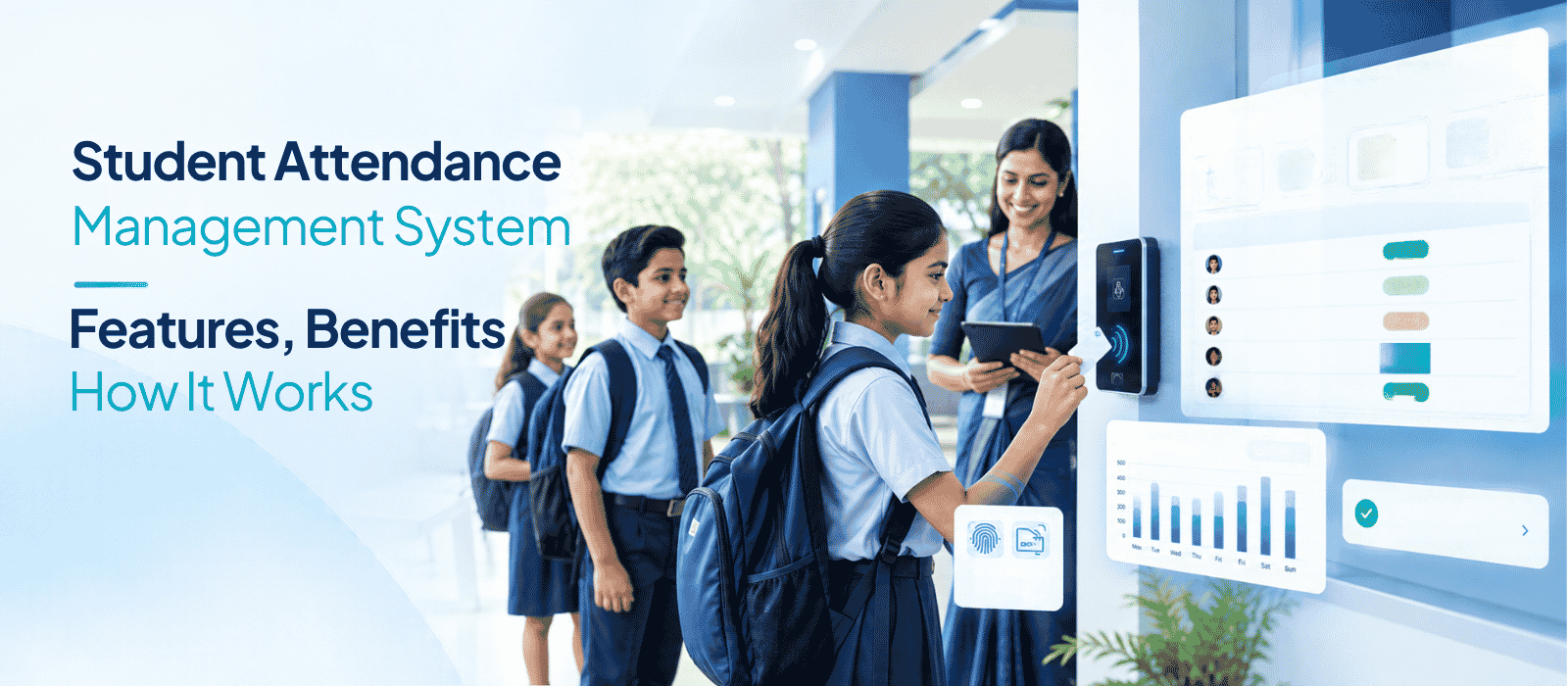
Attendance is recorded at the point of entry, either at the classroom door, at school gate or via a teacher’s mobile app. Either with RFID smart cards, biometric fingerprints, using AI facial recognition, or a digital register provided by the teacher and checked by the system, each student’s attendance will be marked for that session.
Attendance Verification and Validation
The system checks the attendance event with the student database for confirmation of student identity, class, section, and subject. It catches exceptions like late arrivals, periods of incomplete attendance, missing matches etc. automatically.
Real-Time Attendance Updates
When they get captured, the attendance data is synced real-time to the central system. Administrators have access to real time attendance across all classrooms and at all campuses, without having to wait for end-of-day reports.
Notifications and Alerts
Automated SMS/email/mobile app push notifications are sent to parents the moment a student is marked absent or late to school, which means the communication gap is bridged immediately and without a phone call from the school.
Attendance Reports and Analytics
The system provides reports in a day basis, subject wise, class wise and student wise as per the demand. The administrator can view patterns of student attendance, flag students who are chronically absent, and generate audit-ready documents for regulatory or board use.
Why Do Schools Need a Student Attendance Management System?
Problems With Manual Attendance
The manual approach to attendance has several predictable issues:
- Long roll calls – attendance is taken orally and in writing 5-10 minutes per class period.
- Transcription errors, misread names and missed entries make for inaccurate records — human errors.
- Proximate attendance (older student groups – students can mark other students off as present without any verification method).
- Physical records – paper registers can’t be searched, are easy to damage and can’t be shared among departments or campuses.
- Delayed reporting — paper reporting systems generate reports days after the fact, not real time.
- Parents are not seen in school – parents are not likely to be the first to know their child is missing, and they will not be if it is after school hours.
- Manual data collection for attendance information due to compliance, board review or scholarship consideration can prove troublesome.
These are all issues that are avoided by design with a digital student attendance tracking system.
Types of Student Attendance Management Systems
Online Student Attendance Management System
A software-based system with no hardware installed on the computer that allows teachers to mark attendance via web/mobile. The easiest way (no separate hardware). It’s suitable for any school, big or small.
Biometric Attendance System
Installs fingerprint scanners at school entrances or at classrooms’ doors. System confirms identity, records attendance while each student touches the sensor. There is very high accuracy and proxy attendance is almost entirely avoided.
RFID-Based Attendance System
All students have RFID smart cards. Once a student taps a card into the RFID reader, the system automatically records the student’s attendance. Contactless, quick and appropriate for locations with high foot traffic. Some long range RFID systems can read cards without the need to tap.
QR Code Attendance System
Every student receives a different QR code on their ID or application for their mobile phone. Each student is registered by a teacher or device scanning the code. Affordable and not needing hardware installation at each location.
Mobile App-Based Attendance System
Attendance is directly recorded on a mobile app by teachers as present, absent or late for each student. Data is synced to the central system, in real time. Good for use in classrooms without a hardware installation.
Cloud-Based Student Attendance System
The attendance data is stored and processed in the cloud and is available across multiple campuses, backed up automatically, and available from any device. Today, enterprise institutions are expected to have cloud architecture.
Key Features of Student Attendance Software
Automated Attendance Tracking
The system records and captures attendance without the need for manual data entry after the initial marking, or after hardware tap. It alleviates workload and transcription errors.
Real-Time Attendance Monitoring
Live attendance information on who is in and out of the classroom, and where, is available for view by administrators and authorised staff without having to wait for a report to be compiled.
Day-Wise and Subject-Wise Attendance
Attendance is available daily, by period or by subject. This is relevant for higher education and schools with a departmentalised structure, in which the student could attend some classes and miss some others.
Late Arrival and Absence Tracking
The system not only tracks whether a student has arrived on time or not, but also captures the time of late arrivals and patterns over time, which is helpful for identifying repetitive issues.
Leave Management
Leave applications can be made online by students and parents. Automatic Log of Approvals/rejections in the attendance record.
Attendance Correction and Approval
If attendance is recorded incorrectly, teachers or administrators can submit a correction request. It is passed through an approval process and an audit trail is kept – the original entry appears as well as the correction.
Student and Teacher Portals
Role specific portals provide access as needed to each user. Classroom teachers can view the attendance records for their class, students can view their own attendance record, and administrators can see the overall picture for all classes and campuses.
Parent Notifications and Alerts
Parents receive automated alerts when absences are made instantly through SMS, email or push notification. This eliminates the communication delay that can happen in manual systems and ensures that parents are always up-to-date without extra staff work.
Attendance Reports and Analytics
Pre-built and customisable reports provide administrators, coordinators and leadership with up-to-the-minute attendance information, at the class level, subject level, student level, date range, or campus level.
Multi-School and Multi-Campus Management
The system presents attendance data from all classrooms at all schools in one place — but has campus-level access controls for school groups and chains.
Mobile Access
Staff and parents have the option to check, record and respond to attendance on mobile devices. Attendance marking can go on without an internet connection, through native iOS and Android apps with offline functionality.
ERP and LMS Integration
Attendance data is integrated and instantly uploaded to the wider school ERP system, without having to export or re-enter it.
Benefits of a Student Attendance Management System
Saves Teachers’ Time
Attendance logging via the digital register or automated hardware is done in seconds, not minutes. The time saved by the teacher is dedicated to teaching and not administrative duties.
Reduces Attendance Errors
The automated capture and validation diminish paper register and verbal roll call inaccuracies.
Helps Prevent Proxy Attendance
There are various ways in which students are identified at point of attendance including through biometric and facial recognition systems, which mean that proxy marking is effectively impossible.
Improves Parent Communication
Real-time automated alerts proactively keep parents informed, minimizing follow-up calls and enhancing the school’s communication image.
Provides Real-Time Visibility
Administrators can view real-time attendance information, allowing for quicker responses to attendance trends, outliers, or emergencies.
Simplifies Attendance Reporting
Previously, reports took hours to compile by hand and can now be generated in seconds, for board review, accreditation audits, or checking for scholarship eligibility.
Helps Identify Attendance Trends
Through time, the system builds up data that gives the school leadership actionable insight—for example, identifying specific students who tend to be chronically absent, identifying days or periods of low attendance, or identifying trends at the class level.
Student Attendance Management System for Schools
Classroom Attendance
Attendance is taken by teachers, on a period by period basis, using a mobile app or web-based portal. Time-stamped data, subject specific and real time available to administration. This is the typical deployment pattern for K-12 schools.
School Gate Attendance
School gates are fitted with RFID or facial recognition devices which log the time that each student enters the campus. The system keeps a record of gate entry and attendance at school classrooms, allowing schools to identify pupils who come on site but fail to get to their classrooms.
Parent Attendance Notifications
Parents are automatically notified of absences when attendance is taken for a session. The school office does not need to do anything manually.
Attendance Monitoring Across Campuses
For school chains or multi-campus schools, the school attendance management system offers a unified view. At the group level, administrators can view attendance data for each campus from a single interface, without having to log in individually to each campus.
Attendance Reports for School Administrators
Administrators produce period-wise, day-wise, month-wise, and student-wise reports as per requirement for academic review, board compliance, fee calculation, accreditation, and so on.Administrators can create period-wise, day-wise, month-wise, and student-wise reports on demand for academic review, board compliance, fee calculation, or accreditation.
Automated Student Attendance System: Technologies Used
Biometrics and Facial Recognition
A student passes a facial recognition camera without having to press any button or do anything else to trigger the recognition of the student’s face. Modern systems are capable of processing multiple faces, operating in a range of lighting situations, and even when students are wearing masks. A biometric fingerprint system ensures that attendance is accurate to the millimetre, and is totally without proxy.
RFID Cards
All students have an RFID chip in their smart card. Students are not required to stop when they arrive at the card reader and are automatically logged in in less than a second. Long-range readers can take the attendance as students walk through a corridor.
QR Codes
Each student displays a special QR code at the check-in location.Each student shows a special QR code at the attendance point. The code is scanned by a scanner or the teacher’s device and recorded. Reduced hardware expense — an easy choice for budget-conscious deployments.
Mobile Applications
Using a mobile app, teachers mark attendance by class. Offline mode means that attendance will not be interrupted when the internet connection is down, as it automatically syncs again once it is back up.
GPS and Geofencing
GPS-enabled attendance systems can validate students’ attendance in a specific geographic area before marking students as present, for those institutions who manage field trips, off-campus learning, and transportation.
Cloud Technology
Finally, all attendance technologies are dependent upon cloud architecture to store, process and share information in real-time. Cloud deployment eliminates the need for a server in-house and makes it possible to access attendance data from any authorised device, anywhere.
Student Attendance Management System vs Manual Attendance
| Factor | Manual Attendance | Digital Attendance System |
| Data Entry | Paper register or verbal roll call | Automated capture (RFID, facial, biometric) or mobile app |
| Accuracy | Prone to transcription and verbal errors | Verified identity capture reduces errors significantly |
| Reporting | Manual compilation — hours of work | Reports generated on demand in seconds |
| Parent Notifications | Phone calls — manual, slow, inconsistent | Automated SMS/email/app alerts triggered instantly |
| Attendance Tracking | Per class register; difficult to consolidate | Centralised, searchable, multi-level records |
| Data Management | Physical registers — damage and loss risk | Cloud-stored with automated backup |
| Analytics | Not feasible without significant manual effort | Real-time dashboards; trend analysis; KPI tracking |
How to Implement a Student Attendance Management System?
Step 1: Identify Attendance Requirements
Determine what needs to be monitored, whether attendance at class or attendance at the gates, subject-wise tracking, exam attendance, or all of the above. Take into account the number of students, campuses and sections.
Step 2: Select the Attendance Method
Decide on the technology that will be used for the capture – mobile app, RFID, biometric, facial recognition or some mix?
Step 3: Configure Students, Classes and Subjects
Upload or manually input your student data, class configuration, subjects and academic calendar. For most systems this can be done by importing bulk data to speed up the process.
Step 4: Integrate Attendance Devices
If hardware (RFID readers, biometric or cameras) are to be used, set-up and join to the central system. Ensure proper communication between each device and ensure the data is real-time and uploaded to the cloud.
Step 5: Set Attendance Rules and Leave Policies
Establish guidelines (for attendance, late arrivals, leave types, etc.), and/or subject-specific guidelines. These rules will be used to trigger automated notifications and eligibility amounts.
Step 6: Configure Notifications and Reports
Create automatic parent alerts (absent, late), parent report templates, and set up and assign report access to the appropriate roles (class teacher, coordinator, principal, admin).
Step 7: Train Teachers and Administrators
Perform role-specific training: teachers should be taught how to mark and correct attendance, administrators should be taught how to create reports and how to handle attendance exceptions. Hands-on app training is important if there is a mobile app included with the system.
Step 8: Test and Launch the System
Try out a trial with one class or section prior to full rollout. Verify accuracy of attendance recording, notification, and reporting. Define gaps, first at the level of the single institution, and then expand.
Step 9: Monitor Attendance Data and KPIs
Once go-live, review important metrics on a weekly basis such as attendance percentages, absenteeism trends, notification delivery percentages, data quality issues, etc. Set baseline performance using dashboards.
How to Choose the Right Student Attendance Management System?
Check Attendance Tracking Methods
Confirm the system will accommodate the capture method you require — mobile app, RFID, biometric, facial recognition or a mix. If you want to upgrade hardware, make sure they are compatible.
Evaluate Mobile and Online Access
Teachers must have an offline mobile application. Any device must allow administrators to access the web. Take the pressure off dedicated terminals for an online student attendance management system.
Check ERP and LMS Integration
You should seamlessly integrate attendance with your school ERP system — student records, exam eligibility, fee management and parent communication. If the data has to be exported manually, the system is not well integrated.
Review Reporting and Analytics
Ask to see class-wise, student-wise, subject-wise, and date range-wise reports that are available in the system out of the box; and whether it is possible to export or schedule the reports.
Consider Data Security
Students’ attendance is personal information. Ensure the system employs role-based access control, protects data in transit and at rest, has audit trails for all changes, and runs on a recognised and compliant infrastructure.
Check Scalability for Multiple Campuses
If you have multiple campuses (or are considering expanding to more than one) check the system’s ability to handle multi-campus management and centralised reporting and campus access control.
Evaluate Total Cost of Ownership
Consider implementation costs, hardware (if needed), licensing model (per student / per school / per module), training, support, and subscription. Choosing a lower initial cost may lead to a higher overall cost if the hardware, setup and support are charged on a separate basis.
What Attendance KPIs Can Schools Track?
Student Attendance Percentage
The proportion of the school days the student attended. Usually applied to see if they qualify for exams, promotion or scholarship.
Absenteeism Rate
The proportion of school days missed by students within a class, grade or school — can be helpful for school-level patterns.
Late Arrival Rate
The percentage of pupils arriving late to school. Frequent lateness may indicate logistical or family problems that should be resolved.
Class-Wise Attendance
Compare attendance rates between classes to see if there are significant differences that could indicate areas of engagement or if something is going wrong in the teaching.
Student-Wise Attendance
Individual attendance records over any time period. For parent communication, academic eligibility, counselling and regulatory reporting.
Attendance Trends
Attendances over the past week and month. Schools can target drops that occur during certain events, seasons or academic pressure points.
Chronic Absenteeism
Students who have 10% or more absences, whether excused or not. Early identification allows for interventions before negative academic consequences set in with these students.
Student Attendance Management System Security and Data Privacy
Role-Based Access
Every person using the system (teacher, coordinator, administrator or parent) will only have access to data relevant to their role. A teacher can view their own class records and a parent sees only their child’s record.
Secure Attendance Records
Attendance data should be kept on a certified and encrypted server. An ISO 27001 certified cloud infrastructure offers a well recognised minimum level of data security.
Data Access Permissions
Administrators have control over who can view, edit, correct or export attendance information. The audit trail records all changes including who has made them and when.
Attendance Audit Trails
Each attendance change, correction, and approval will be timestamped and the name of the user who made the change will be entered. This is crucial for regulatory compliance and disputes.
Data Retention and Privacy
Institutions should think about the period of which the attendance records are kept, who can view data from earlier periods and how the system deals with data of students who are no longer at the institution. These are subject to institutional policy and the laws of data protection.
How Student Attendance Software Integrates With School ERP and LMS
Student Data Synchronisation
Student and class details that are used in attendance systems are derived from school ERP. The change in the student, or in the class schedule, automatically reflects in the attendance module without the need to re-enter the information.
Attendance Data Integration
Academic and examination modules are linked to attendance records. The student(s) that do not meet the minimum attendance criteria will automatically fall to ineligible for exams without the coordinator needing to draw up a manual list.
Parent Communication
Attendance data can be correlated straight through to the parent communication layer, SMS, email, and alerts sent to the parent via app without the need for staff intervention due to absence or late arrival.
Academic Record Integration
Attendance history can be integrated with student performance dashboards, providing teachers and administrators with a comprehensive record of student attendance, in addition to academic outcomes.
Reports and Dashboards
An integrated school ERP software brings attendance, academic, financial and operational information into a single MIS dashboard, providing leadership with a 360 degree view instead of piecemeal reports from disjoined systems.
How Much Does a Student Attendance Management System Cost?
The cost of student attendance software can differ based on factors. A universal price cannot be quoted without knowledge of the specific needs of your institution.
Things that impact total cost:
- The number of students — most systems are priced per student or per campus.
- Parent access levels, teacher accounts, admin accounts, and number of users.
- Number of campuses — multi campus deployments usually come with extra licensing.
- Attendance hardware — RFID readers, biometric sensors or even facial recognition cameras contribute to the cost.
- Mobile Apps – including native apps for teachers and parents or sold separately
- Attending the session, participants will learn about ERP integration, including when the attendance module is integrated into a larger school ERP system and when it is a standalone solution.
- Support model — training on-site and implementation support and customer support are different for each vendor
- Customisation — some institutions may need to do some configuration work
- This adds to the initial investment for implementation—data migration, device installation, and training.
For EduPro, pricing is quote-based — the right configuration is determined based on your institution’s size, modules, and hardware requirements. Reach out through mobilise.co.in for a proposal.
Conclusion
A Student Attendance Management System transforms institutions from a reactive to proactive approach, shifting from paper-based tracking to real-time attendance intelligence. It automates reporting of compliance and institutional planning reports and analytics for administrators, saves teacher time, reduces manual errors, and keeps parents up to date with no need to attend — while eliminating proxy attendance.
When deciding on a solution, consider the tools and methods for attendance capture, how the ERP system integrates with parents, the security model in place, and the total cost of ownership (but that doesn’t only mean the licence cost).
EduPro’s built-in attendance management system supports RFID, AI facial recognition, and biometric methods — all supplied and supported by Mobilise under one implementation. If you’re evaluating a digital attendance solution for your school or institution, speak with the EduPro team at mobilise.co.in.
Student Attendance Management System Faqs
Q: What is a Student Attendance Management System?
A: A Student Attendance Management System is a digital platform that records and tracks student attendance automatically in real time, replaces manual registers, sends parent notifications for absences, and generates attendance reports for teachers and administrators.
Q: How does a Student Attendance Management System work?
A: It captures attendance using RFID cards, biometric sensors, facial recognition, or a teacher’s mobile app. Data syncs instantly to the cloud, parent alerts are triggered for absences, and attendance records are updated across all portals in real time.
Q: What is an Online Student Attendance Management System?
A: An online student attendance management system is a cloud-based platform where attendance is recorded through a web or mobile interface and stored centrally – accessible from any authorised device without on-premise servers.
Q: What features should Student Attendance Software have?
A: Key features include: real-time attendance capture, day-wise and subject-wise tracking, absence and late-arrival logging, leave management, automated parent notifications, correction workflows, role-based portals, multi-campus support, and ERP integration.
Q: How does an automated student attendance system work?
A: Hardware such as RFID readers, biometric fingerprint sensors, or facial recognition cameras identifies students automatically at entry points. The system logs attendance in real time without requiring manual input from a teacher.
Q: Can attendance software integrate with a school ERP?
A: Yes. When attendance is built into a school ERP – as in EduPro — attendance data connects automatically to academics, examinations, fee management, and parent communication.
Q: Can parents receive attendance notifications?
A: Yes. The system sends automated SMS, email, or app alerts to parents when a student is absent or late – typically within minutes of attendance being marked.
Q: Can schools manage attendance across multiple campuses?
A: Yes. Multi-campus attendance management is a standard capability in enterprise systems, providing consolidated data across campuses with campus-level access controls.


