
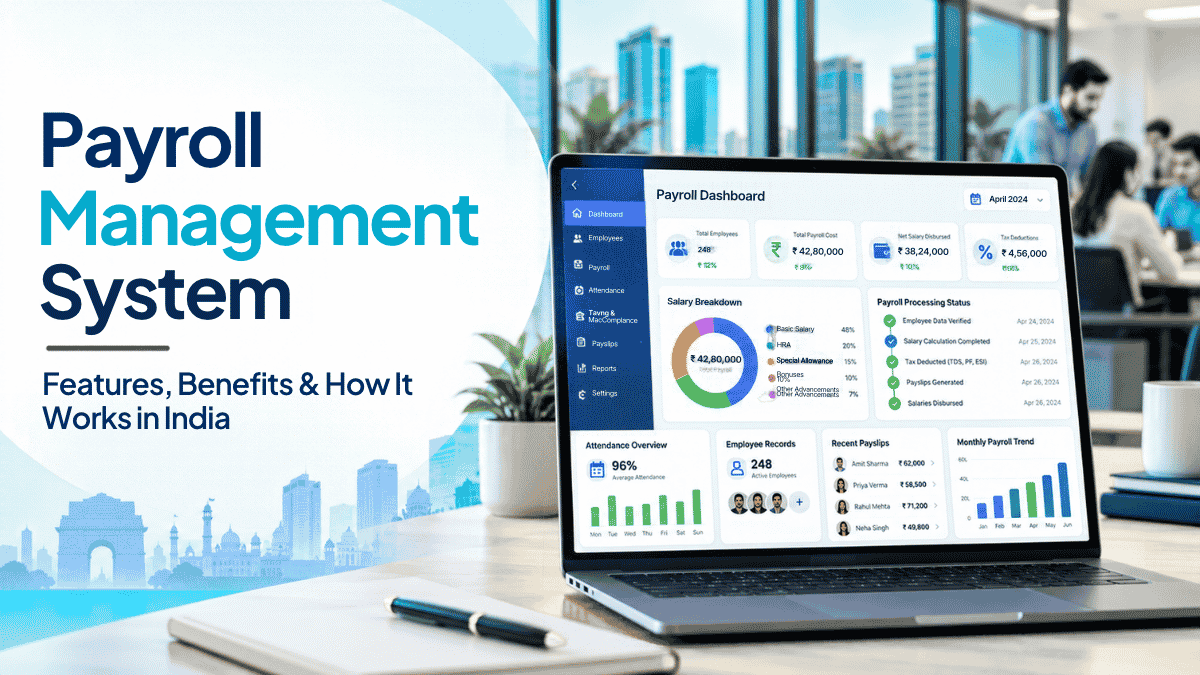
Every organisation that employs people runs payroll. But behind every salary payment is a process far more complex than transferring a number into a bank account. Employee data must be accurate, attendance and leave records must be verified, statutory deductions must be calculated correctly, and payments must reach employees on time — month after month.
When payroll is managed manually, the margin for error is high. When it is managed by a payroll management system, the process becomes faster, more accurate, and significantly easier to audit and control.
This guide explains what a payroll management system is, how payroll processing works in India, what statutory compliance requirements apply, and how to choose software that fits your organisation.
What Is a Payroll Management System?
A payroll management system is software that automates the process of calculating, managing, and distributing employee compensation. It handles everything from gross salary calculation and statutory deductions to payslip generation, compliance filings, and payroll reporting — typically within a defined pay cycle.
What Is Payroll Management in HR?
In HR, payroll management refers to the end-to-end process of ensuring every employee is paid accurately and on time, in compliance with applicable labour laws and company policy. It connects employee records, attendance data, leave balances, statutory obligations, and finance systems into a single, auditable workflow.
What Is the Purpose of a Payroll Management System?
The primary purpose is to reduce the risk of errors, late payments, and compliance failures that are common in manual payroll processing. A payroll management system also improves transparency — employees can access their payslips and deduction details, and management can view payroll costs across departments, locations, and employee categories.
Who Needs Payroll Management Software?
Any organisation with employees on a formal pay structure can benefit: small businesses moving off spreadsheets, mid-sized companies managing multiple locations, enterprises with complex salary structures, and organisations with strict statutory compliance requirements. In India, the need is amplified by the number of applicable statutory deductions and the frequency of compliance deadlines.
How Does a Payroll Management System Work?
Understanding how payroll management system works requires looking at it as a workflow, not a single task.
Step 1 — Collect Employee and Salary Information
Before payroll can run, the system needs accurate data: employee names, designations, bank account details, PAN numbers, salary components (basic pay, HRA, allowances), and any mid-month changes such as increments, new joiners, or exits.
Step 2 — Record Attendance, Leave and Overtime
Payroll calculations depend on how many days an employee actually worked during the pay period. Systems that integrate with biometric devices, swipe cards, or mobile-based attendance tools pull this data automatically. Leave balances, approved leaves, and loss-of-pay (LOP) calculations feed directly into the salary computation.
Step 3 — Calculate Gross Salary, Deductions and Net Pay
This is the core of payroll processing. The system computes gross salary (all earnings before deductions), applies applicable deductions (EPF, TDS, Professional Tax, and others), and arrives at the net salary the employee receives. The basic formula is:
Net Pay = Gross Salary − Total Deductions
Step 4 — Review and Approve Payroll
Before processing, payroll should be reviewed by an authorised person — typically the HR or finance head. This review catches errors such as duplicate entries, incorrect LOP calculations, or missed arrears before salary is released.
Step 5 — Process Salary Payments
Once approved, salary is disbursed through bank transfers. Most payroll systems generate a bank advice statement that contains employee IDs, account numbers, and transfer amounts, which is submitted to the bank or processed through the payroll software’s finance integration.
Step 6 — Generate Payslips and Maintain Payroll Records
After salary is processed, employees receive payslips that itemise earnings and deductions. Payroll records, statutory challans, and reports must be maintained and available for audit. Compliance filings (such as EPF challan, ESI return, and Form 24Q for TDS) must be submitted within statutory deadlines.
How Is Payroll Calculated in India? A Simple Example
Basic Salary, Allowances and Gross Pay
An Indian salary structure typically includes:
- Basic Salary — the fixed component, usually 40–60% of CTC
- HRA (House Rent Allowance) — generally 40–50% of basic
- Conveyance / Transport Allowance
- Medical Allowance
- Special Allowance — a variable top-up component
The sum of all these is the Gross Salary.
Gross Salary vs. Net Salary
| Term | What It Means |
|---|---|
| Gross Salary | Total pay before any deductions (Basic + HRA + All Allowances) |
| Net Salary | Amount received after all statutory and other deductions |
Employee Deductions and Employer Contributions
Employee deductions reduce the take-home pay. Common statutory deductions include:
- EPF (Employee contribution): 12% of Basic Salary
- ESI (Employee contribution): 0.75% of Gross Salary (if gross ≤ ₹21,000/month)
- TDS: Based on annual income and applicable tax slab under the chosen tax regime
- Professional Tax: Up to ₹2,500/year (state-specific)
Employer contributions are an additional cost to the employer and do not reduce the employee’s gross salary:
- EPF (Employer’s share to EPF account): 3.67% of Basic Salary
- Employer’s contribution to EPS: 8.33% of Basic (capped at ₹15,000)
- ESI (Employer contribution): 3.25% of Gross Salary (if applicable)
Illustrative Payroll Calculation
These are example figures for illustration only. Actual calculations depend on salary structure, applicable deductions, tax regime chosen, and current statutory rates.
| Component | Amount (₹) |
|---|---|
| Basic Salary | 25,000 |
| HRA | 10,000 |
| Conveyance + Other Allowances | 8,000 |
| Gross Salary | 43,000 |
| Less: EPF (12% of Basic) | −3,000 |
| Less: Professional Tax | −200 |
| Less: TDS (illustrative) | −2,000 |
| Net Salary (Estimated) | 37,800 |
In this example, employer contributions (EPF employer share, EDLI, admin charges) would add to the total employment cost but do not appear on the employee’s payslip.
Key Features of Payroll Management System Software
Automated Salary Calculation
The system computes gross pay, applies deductions, and calculates net pay based on the rules defined in the salary structure — removing the need for manual formula-based spreadsheets and reducing calculation errors.
Attendance and Leave Integration
Accurate payroll depends on accurate attendance data. Payroll software integrated with attendance systems automatically accounts for present days, approved leave, leave without pay (LWP), and overtime — preventing disputes over incorrect salary calculations.
Statutory Deductions and Compliance Support
Good payroll software helps employers apply EPF, ESI, TDS, and Professional Tax deductions correctly based on eligibility criteria and current statutory requirements. It also tracks deadlines and supports the generation of challans and compliance reports. Note: Always verify current rates and thresholds against official government sources, as statutory requirements change periodically.
Payslip and Report Generation
The system generates itemised payslips for every employee each pay cycle, showing earnings, deductions, and net pay. It also produces management reports — department-wise payroll costs, headcount reports, statutory summaries — that finance and HR teams need.
Employee Self-Service
Employees can log in to a portal or mobile app to view their payslips, check leave balances, submit investment declarations, raise expense claims, and access payroll-related documents — reducing the volume of routine HR queries.
Reimbursements, Bonuses and Arrears
Payroll software handles non-standard payroll items: travel reimbursements, performance bonuses, salary arrears from previous months, advance salary adjustments, and mid-month salary revisions.
Full and Final Settlement
When an employee exits the organisation, the system calculates the full and final (F&F) settlement — outstanding salary, leave encashment, gratuity (if applicable), deductions, and any advances — and generates the settlement statement.
Access Controls and Data Security
Payroll data is sensitive. Role-based access ensures that employees can only see their own payslip, while payroll administrators and finance heads have appropriate visibility. Audit trails record every change made to payroll records.
What Are Indian Payroll Compliance Requirements?
Running payroll in India means staying compliant with central and state legislation. Below is an overview of the key statutory requirements. For exact current rates, thresholds, and deadlines, verify against official government sources (EPFO, ESIC, Income Tax Department, and your state’s professional tax authority).
Employees’ Provident Fund (EPF)
Applicable to: Organisations with 20 or more employees. Voluntary coverage available to smaller establishments.
Employee contribution: 12% of Basic Salary + Dearness Allowance (DA)
Employer contribution (total): Also 12% of Basic + DA — split between EPF (3.67%) and EPS (8.33%, capped on a wage ceiling of ₹15,000)
Deposit deadline: 15th of the following month
Filing: Electronic Challan-cum-Return (ECR) with EPFO
Applicability and contribution rules can vary based on salary structure and employment type. Verify with EPFO or a qualified professional.
Employees’ State Insurance (ESI)
Applicable to: Establishments with 10 or more employees (varies by state). Covers employees whose gross wages do not exceed ₹21,000/month (₹25,000 for employees with disabilities).
Employee contribution: 0.75% of gross wages
Employer contribution: 3.25% of gross wages
Deposit deadline: 15th of the following month
Once an employee’s wages exceed the wage ceiling, ESI deduction stops for that contribution period.
Tax Deducted at Source (TDS)
Applicable to: All employees receiving salary income above the basic exemption limit.
How it works: The employer estimates the employee’s annual tax liability, divides it into 12 monthly instalments, deducts TDS each month, and deposits it with the Income Tax Department.
Current default regime (FY 2025-26): The new income tax regime is the default. Employees wishing to opt for the old regime (with HRA exemption, 80C deductions, etc.) must declare this to their employer.
Deposit deadline: 7th of the following month
Returns: Form 24Q (quarterly); TDS certificate issued to employees annually (Form 16 for FY 2025-26; from FY 2026-27 onwards, Form 130 under the new Tax Year framework applies)
Professional Tax
Applicable in: Maharashtra, Karnataka, West Bengal, Tamil Nadu, Gujarat, Telangana, and several other states. Not a central requirement.
Rate: State-specific; capped at ₹2,500 per year per employee.
Responsibility: Deducted by the employer from employee salary and remitted to the state authority. Registration and filing schedules are state-specific.
Payroll Records and Filing Deadlines
Indian employers are generally required to maintain payroll records for a defined period (typically 5–7 years under various labour laws). Regular compliance tasks include monthly EPF and ESI challan deposits, quarterly TDS returns (Form 24Q), annual TDS certificates, and periodic labour law-related registers.
Statutory requirements change. Always consult your legal or compliance advisor for current obligations applicable to your organisation.
Benefits of an Online Payroll Management System
- Reduce manual payroll work: Tasks that require multiple data inputs, formulas, and cross-checks on spreadsheets are handled automatically by the system, freeing up HR and finance time for higher-value work.
- Improve calculation accuracy: Automated salary calculations based on defined rules reduce the risk of arithmetic errors, missed deductions, and incorrect leave deductions.
- Save time during payroll processing: Integrated data from attendance, leave, and HR systems eliminates the need to manually compile inputs from multiple sources before each payroll run.
- Give employees access to their payroll information: Self-service portals let employees view payslips, check tax deductions, and download documents on their own — reducing inbound queries to the HR team.
- Support compliance and record-keeping: The system maintains audit-ready records, tracks filing deadlines, and generates the challans and reports needed for statutory compliance. However, payroll software is a tool — accurate output depends on accurate data inputs and correct system configuration.
- Improve visibility for HR and finance: Department-wise salary costs, headcount budgets, and payroll trends are available as reports, supporting better financial planning and workforce decisions.
Types of Payroll Management Systems
| Type | Description | Suitable For |
|---|---|---|
| Manual / Spreadsheet | Payroll calculated using Excel formulas and manual data entry | Very small teams; limited compliance support |
| On-Premise Software | Installed on company servers; IT team manages maintenance | Organisations with strong internal IT infrastructure |
| Cloud-Based Payroll Software | Accessed via browser or app; hosted and maintained by the vendor | Most organisations; scalable, no maintenance overhead |
| HRMS with Integrated Payroll | Payroll is one module within a broader HR platform | Organisations managing the full employee lifecycle |
| Outsourced Payroll | External agency runs payroll on behalf of the organisation | Organisations without a dedicated payroll function |
Manual Payroll vs. Payroll Software: A Comparison
| Factor | Manual Payroll (Spreadsheets) | Payroll Management Software |
|---|---|---|
| Data entry | Manual, error-prone | System-driven, integrated from HR/attendance data |
| Salary calculation | Formula-based; requires constant manual checks | Automated based on salary rules and inputs |
| Error risk | High — one formula error can affect multiple employees | Lower, but accurate data input is still required |
| Statutory deductions | Calculated manually; easy to miss updates | Configured in system; alerts for compliance tasks |
| Payslip generation | Manual document preparation | Automated digital payslips |
| Payroll records | Stored in files/folders; hard to audit | Centralised, searchable, audit-trail ready |
| Scalability | Becomes unmanageable beyond ~20–50 employees | Designed to scale with headcount |
| Compliance support | No built-in tracking; relies on HR team knowledge | Deadline tracking, challan generation, report filing |
Both methods require accurate source data. Software does not automatically correct bad inputs.
Payroll Software vs. HRMS: What Is the Difference?
A standalone payroll software focuses specifically on salary calculation, deductions, compliance, and payslip generation. It does the payroll job well, but it operates separately from the rest of your HR function.
An HRMS (Human Resource Management System) is a broader platform that manages the full employee lifecycle — from recruitment and onboarding through attendance, leave, performance, learning, payroll, and separation. Payroll is one module within the HRMS, sharing the same employee record as every other function.
| Capability | Standalone Payroll Software | HRMS with Payroll Module |
|---|---|---|
| Salary calculation | ✓ | ✓ |
| Payslip generation | ✓ | ✓ |
| Statutory compliance support | ✓ | ✓ |
| Attendance integration | Partial / via integration | Native (same platform) |
| Leave management | Partial / via integration | Native |
| Recruitment and onboarding | ✗ | ✓ |
| Performance management | ✗ | ✓ |
| People analytics and reporting | ✗ or limited | ✓ |
| Employee lifecycle management | ✗ | ✓ |
If your primary need is payroll alone, a dedicated payroll tool may be sufficient. If you want connected HR operations where attendance, leave, performance data, and payroll all sit in one system without manual data transfers between tools, an integrated HRMS is worth evaluating.
How to Choose the Right Payroll Management System for Your Business
1. Check your statutory compliance requirements Which deductions apply to your organisation — EPF, ESI, Professional Tax, TDS? Does the software support your applicable states and calculate all relevant deductions?
2. Review your salary structures and employee categories Do you have different salary structures for different employee grades, locations, or contract types? Ensure the system can handle this complexity without manual workarounds.
3. Evaluate attendance and leave integration Payroll accuracy depends on accurate attendance data. Verify whether the software integrates with your existing attendance hardware (biometrics, swipe cards) or mobile attendance tools.
4. Check reporting, security and access controls Can you generate the reports you need — department-wise costs, headcount, statutory summaries? Are access permissions granular enough to protect employee data?
5. Review integration with finance and accounting systems Does the payroll output connect to your accounting software or ERP (such as SAP, Tally, or a cloud accounting platform)? Manual journal entries from payroll to accounting are a common source of errors and delays.
6. Compare pricing and total cost of ownership Factor in implementation fees, training, ongoing support, and the cost of compliance updates — not just the monthly subscription.
7. Evaluate implementation, training and support Cloud-based systems typically have shorter implementation times and lower setup costs. Confirm the vendor’s support model — especially for compliance queries where timely guidance matters.
Common Payroll Challenges and How to Solve Them
| Challenge | Practical Resolution |
|---|---|
| Incorrect employee data (bank details, PAN, salary) | Maintain a verified employee master with mandatory fields and a documented update approval process |
| Attendance and leave discrepancies | Integrate payroll with attendance and leave systems to pull verified, approved data automatically |
| Mid-month salary revisions | Ensure the system supports arrear calculations that carry forward missed or revised pay to the current cycle |
| Missed compliance deadlines | Use a statutory compliance calendar with system-generated alerts for EPF, ESI, TDS, and PT due dates |
| Errors during payroll migration from spreadsheets | Run parallel payroll (old system + new system) for at least 1–2 cycles before fully switching over |
| Lack of payroll visibility for management | Invest in a system with dashboard reporting; HR and finance should have read access to appropriate payroll summaries |
| Data security and unauthorised access | Configure role-based access; limit who can edit salary details vs. who can view reports vs. who can approve payroll |
How HRevO HRMS Connects Payroll with Your Broader HR Operations
Running payroll efficiently requires more than a standalone calculation tool. The accuracy of every payroll run depends on data that lives elsewhere: employee records, attendance logs, approved leave requests, expense claims, and salary revision approvals. When these are managed in separate systems, every payroll cycle involves manual data collection, reconciliation, and the risk that something is missed.
HRevO, Mobilise’s HRMS platform, brings these connected HR functions into a single system currently running for over 4.19 lakh active employees across India and Asia Pacific.
Payroll & Expenses module: Payroll processing integrated with finance systems, covering automated reimbursements and budget controls. The module connects payroll with travel and expense management, so claims approved during the month are ready to include in the same payroll cycle.
Staff Management module: Handles core HR, time and attendance (biometric and mobile), leave and shift rules, statutory compliance, and employee self-service — the upstream data sources that payroll depends on.
Finance system integration: HRevO connects with finance and accounting systems through open APIs, and integrates with SAP, reducing manual data entry between payroll and accounts.
Security and access: Role-based access controls ensure payroll data is accessible only to authorised users.
Multilingual and multi-country: HRevO supports 20+ languages and is deployed across India, Singapore, Malaysia, the Philippines, Thailand, and Vietnam — relevant for organisations managing employees across geographies.
For organisations that want payroll and HR on a shared employee record — without re-entering data across systems — HRevO is designed to support that workflow.
For specific payroll capabilities, statutory compliance scope, and integration details applicable to your organisation, we recommend booking a product walkthrough with the Mobilise team.
Conclusion
A payroll management system does more than process salaries — it connects employee data, attendance records, statutory deductions, and finance workflows into a single, auditable process. For Indian organisations managing EPF, ESI, TDS, and state Professional Tax obligations, getting payroll right every month is both a legal requirement and a matter of employee trust.
The right solution depends on your organisation’s size, the complexity of your salary structures, the number of statutory requirements that apply, and whether you need payroll as a standalone function or as part of a connected HR platform.
For organisations looking to bring payroll, attendance, leave, and employee management into one system — without manual data transfers between tools — HRevO HRMS is built to support that. It is currently used by 4.19 lakh+ active employees across India and Asia Pacific.
Book a personalised walkthrough with the Mobilise team to see how HRevO fits your payroll and HR operations → Contact Mobilise


