
It’s a scenario that’s happened to every facility manager at least once: a critical asset goes down, nobody knows how long it’s been since it was last serviced, the spare part isn’t in stock and three people are calling around, trying to see when it was last serviced, and contacting the supplier for a replacement part — and ideally, none of that could have taken place for weeks or months.
Best CMMS software is designed to solve this problem.
Every aspect of your maintenance operation, from asset information and preventive maintenance schedules to work order assignment and tracking of SLA’s as well as spare parts inventory are digitised through a Computerised Maintenance Management System (CMMS). This yields reduced downtime, improved asset visibility and a proactive maintenance team.
This guide is for facility managers, maintenance heads, plant engineers, IT heads and operations leaders who are new to CMMS software or trying to get rid of spreadsheets. We will discuss the definition of CMMS software, its important features, unique requirements applicable for India, comparing two platforms, CMMS software pricing, ROI calculations, and a buying framework that you need to make a good decision.
What Is CMMS Software and How Does It Work?
CMMS — Computerised Maintenance Management Software (CMMs) — is software that consolidates all maintenance-related data into a single place, such as asset information, service history, maintenance schedules, work orders, spare parts inventory, vendor contracts and compliance documentation. It replaces paper registers, physical signature sheets and spreadsheets with accurate, up-to-the-minute digital records.
How a CMMS Manages the Maintenance Lifecycle
- Asset Registration: All assets are registered in one central digital register and given all relevant information (name, make, model, purchase date, warranty, AMC/CMC, etc.).
- Preventive Maintenance Scheduling: The system automatically creates the maintenance tasks of each asset at defined intervals (daily, weekly, monthly, annually). The technicians are notified prior to the due date.
- Work Order Management: Maintenance tasks are automatically generated when a PPM schedule occurs, or IoT sensors alert, or a breakdown report is received or helpdesk ticket is opened. The asset, task, assigned technician, priority and estimated completion time are associated with each work order.
- Field Execution and Evidence: Technicians conduct work in the field, input the findings, add photos and close the work order without ever needing to be in the office.
- Reporting and Analytics: Managers review dashboards which include work order status, asset down time, SLA compliance, maintenance costs, and technician productivity.
CMMS vs. EAM vs. ERP: What Is the Difference?
| Feature | CMMS | EAM | ERP |
| Primary focus | Maintenance and work orders | Full asset lifecycle and financial tracking | Entire business operations |
| Asset coverage | Maintenance records and equipment tracking | Asset depreciation, capital planning, compliance | Equipment as a financial asset |
| Typical user | Maintenance and facility team | Finance, engineering, and operations combined | Finance, HR, procurement, supply chain |
| Complexity | Low to medium | Medium to high | High |
| Best for | Facility and maintenance teams | Asset-heavy enterprises (airports, utilities, manufacturing) | Large enterprises needing one integrated system |
If maintaining maintenance schedules and work orders are your primary needs, then CMMS is the best option. Select EAM if you require to monitor asset financials, depreciation, end-to-end asset life-cycle cost. If you’re looking for a single system for finance, HR, supply chain and operations, then ERP may be a good option; however, most facility teams find that a dedicated CMMS is more practical and quicker to implement.
Why Businesses Need the Best CMMS Software
Unplanned downtime is much more expensive than planned maintenance. Studies in the industry have consistently shown that reactive maintenance organisations are 3 to 9 times more expensive than those with a structured preventive approach to maintenance operations. However, the operation case is overstated by the cost argument.
In a facility, poor maintenance management manifests itself in this way:
- Nobody had any history of services so assets broke down abruptly.
- Technicians can’t find spare parts as inventory is not tied to work orders.
- Managers are not aware whether the assets have been serviced or not.
- SLA breaches are not detected until they are communicated to the client or audit by the client or auditor.
- Paper lists are “checked off” with signatures, but no actual work was performed.
Key Benefits of CMMS for Maintenance Teams
- Less unplanned downtime: Predictive maintenance plans problems before they become failures.
- Enhanced asset visibility: Information on the location, condition, service history and warranty information of every asset is available in seconds.
- Improved work order resolution: All work orders are assigned, tracked and closed digitally, with no phone calls or manual handoffs.
- Better technician productivity: Technicians get work orders on mobile, fill out checklists on the floor and close jobs without having to go back to a desktops.
- Managed spare parts expenses: Inventory is associated with assets and work orders, consumption is monitored and levels are reordered automatically.
- Audit readiness: All maintenance tasks are documented with photos and time-stamped and stored in a searchable digital record.
- SLA compliance: Automated escalations mean no tickets are left unattended past their resolution time.
A Realistic Example: How CMMS Reduces Downtime
Imagine you have 1,200 assets, such as HVAC systems, UPS, elevators and electrical panels, in a corporate campus. If a CMMS is not in place, maintenance staff deals with breakdowns as they arise. Parts have to be rushed in at an increased cost. Root causes are not being solved, so the same resources are being utilized and broken repeatedly.
A CMMS has an asset preventive maintenance schedule for each asset. Technicians are notified of their work via phone. Consumption history is used to monitor spare part stock levels. On fault, the ticket is sent to the right technician straight away and the asset’s complete history of service records are added. The outcome: a decreased number of break downs, reduced repair expenses, and a facility that operates predictably, not reactively.
Key Features to Look for in the Best CMMS Software
| Feature | Why It Matters |
| Work order management | Core function — create, assign, track, and close all maintenance jobs |
| Preventive maintenance scheduling | Auto-schedule recurring tasks per asset or location |
| Corrective maintenance | Log and track breakdown repairs with full service history |
| Predictive maintenance | IoT-triggered alerts before failure; condition-based maintenance |
| Asset management | Centralised registry with lifecycle data, tags, and documents |
| Equipment history | Full service record per asset — repairs, costs, downtime, parts |
| Spare parts and inventory | Track stock, link consumption to assets and work orders, set reorder alerts |
| Mobile access | Field technicians must work from iOS and Android; desktop-only CMMS limits adoption |
| QR and barcode asset tagging | Scan to open an asset record, raise a ticket, or start a checklist |
| Digital checklists | Photo-evidenced, verified task completion — not just signatures |
| Reporting and dashboards | KPI visibility for maintenance managers and senior operations leaders |
| SLA management and auto-escalation | Auto-escalate overdue tickets; track compliance per asset category |
| Multi-site management | Consolidated view across facilities, buildings, and locations |
| Integrations | Connect with ERP, HR, IoT sensors, BMS, finance, and procurement systems |
| Role-based access control | Technicians see their jobs; managers see their sites; administrators see everything |
Best CMMS Software in India: What Should Businesses Look For?
Some CMMS solutions are much more suited for India than others, due to their operating requirements.
- Multilingual field support: Many Indian facility teams are comprised of blue-collar workers who do not speak English comfortably. A CMMS for India must be language agnostic, including regional languages such as Hindi, Tamil, Telugu, Kannada and others; and have voice input for hands-free use in the field.
- Instability of network – in large campuses, government facilities, remote health facilities, manufacturing plants etc. Offline capable is not optional, it is a must.Offline capability is not an option, it’s a necessity!
- For basic phones: In Government health programmes and rural facilities, field workers may not use smartphones, instead they use keypad phones. IVR (Interactive Voice Response) enables ticket raising by a toll-free number, so that even the most remote worker can raise a ticket.
- Local implementation and support: Data migration and training, as well as support, are essential to the implementation and support of a CMMS. A local team in India helps support the vendors faster for go-live and problem resolution as compared to an offshore platform alone.
- For regulated sectors like healthcare and government, platforms that are ISO 27001 certified and offer data on cloud servers located in India or within the APAC region are preferred for data security and compliance.
- Modular pricing: Global vendors sell enterprise CMMS products based on the size of Western enterprises. Indian companies, particularly MSMEs, should seek out the option of a “module-based” price structure, where the cost is determined by the number of modules used.
Best CMMS Software: A Platform Comparison for 2026
Below are some of the most common CMMS and EAM platforms. When prices are not available and/or subject to change, it is indicated as “contact vendor”, check with the vendor directly before buying.
| Platform | Best For | Strengths | Limitations | Pricing | Ideal Size |
| IBM Maximo | Large enterprises, utilities, oil and gas | Deep EAM capabilities, mature product, strong integration ecosystem | Complex and expensive implementation; requires dedicated IT resources | Enterprise licensing — contact IBM | Large enterprise only |
| SAP EAM (Plant Maintenance) | Enterprises already on SAP ERP | Tight integration with SAP FI, MM, and PP modules | Requires existing SAP infrastructure; very complex; high total cost | Enterprise licensing — contact SAP | Large enterprise with existing SAP |
| Fiix (Rockwell Automation) | Mid-market manufacturing and facilities | Clean interface, cloud-based, good mobile experience | Limited customisation; primarily CMMS, not a full IFMS | Free tier available; paid plans — contact Fiix | SME to mid-market |
| UpKeep | Mobile-first SMB maintenance teams | Very intuitive, fast to implement, mobile-first design | Not suited for complex multi-site or advanced EAM requirements | Free tier; paid plans — check upkeep.com for current pricing | SMBs and small facility teams |
| Limble CMMS | SMEs needing high user adoption | Easy onboarding, clean interface, PM automation | Less suited for enterprise-level complexity | Tiered pricing — check limblecmms.com | SME to mid-market |
| Maintenance Connection (Accruent) | Healthcare, higher education | Compliance-focused; healthcare-specific workflows | Complex implementation; pricing not publicly disclosed | Contact Accruent | Mid to large enterprise |
| OpsSuite (Mobilise) | Indian enterprises across healthcare, airports, manufacturing, and government | India-first: 20+ regional languages, offline mode, IVR, 15 modules covering both soft and hard services, own hardware integration, multi-site | Primary market is India and APAC | Module-based — contact Mobilise | SME to large enterprise |
Note: The features and pricing are subject to change. Always check the existing skills with individual vendors before buying.
Best CMMS Software for Small Business and MSMEs
Small businesses or MSMEs may think that CMMS software is only suitable for large companies. The market has changed a lot. There are now a number of platforms that offer:
- Low cost entry levels: Entry level starter plans for core work order management and simple PM scheduling are available, free or low cost.
- Fast deployment: Cloud-based CMMS solutions can be up and running within days, not months. No installation of a server is necessary on the site.
- No bloat, just the essential features: Begin with work order management and preventive maintenance for critical assets. As the operation expands, include inventory, SLA and analytics.
- Mobile-first design: If the technician and the manager are the same person, then a mobile-based CMMS eliminates a lot of administrative work for the small team.
What to prioritise as a small business:
Work order management, preventive maintenance scheduling of critical assets, simple spare parts tracking, mobile access and simple reporting. Don’t spend money on enterprise analytics or multi-site or advanced IoT modules that you don’t need during the first year of use.
CMMS Software Pricing: What Does It Really Cost?
According to a lot of people, CMMS cost is not always that straightforward, it’s not just a subscription fee for every user. There are a number of factors to the true cost:
- Subscription or licensing: Most cloud CMMS software is sold by subscription, per user, per month; or per asset, per month; or per module. Some provide flat rate site pricing.
- Implementation and configuration: It’s time-consuming to map your asset hierarchy and configure workflows and building PM schedules. It’s offered as a fixed project rate or day-rate consulting by the vendors.
- Data migration involves transferring of asset data, maintenance history, and spare parts information from an Excel spreadsheet or legacy system to the CMMS, which requires data cleaning, formatting, and migration. This is always understated.
- Training: User training for managers, supervisors and field technicians — these are likely to be delivered in multiple sessions, particularly for blue-collar workers new to digital tools.
- Integrations: If the CMMS needs to be connected to your ERP, HR system, IoT platform, or BMS, it can be customized or need an integration middleware layer.
- Support: Annual support contracts. Look for support as part of the subscription or the cost is separate.
There are three-year TCOs for mid-size Indian facility teams, which usually consist of subscription + implementation + training + annual support. A platform with lower subscription fees, but a high implementation cost could actually cost more than a platform that has a higher subscription fee and already has onboarding included. Don’t compare the subscription fees of the CMMS software.
How to Calculate CMMS ROI
ROI from CMMS can be seen in a variety of ways:
Reduction in downtime: Measure unplanned downtime of critical assets before and after implementation. Even 20% loss on high-value assets can have an impact on finances.
Labour savings: Technicians allocated to preventive programmes are not allocated to emergency call-outs. Log hours for emergency repairs prior (before) to and after.
Spare-parts optimisation: By integrating assets with consumption, you can determine the assets that are consuming the most spares and the cost. Reorder alerts avoid stock-outs and over-stocks.
Regular preventive maintenance increases the useful life of equipment: High value assets can be cost saved by delaying capital replacement by as long as 12-18 months.
Maintenance cost per asset – Monitor monthly. The number is usually reduced by a structured CMMS programme within 12-18 months as planned maintenance takes the place of reactive expenditure.
Noting that it does not necessarily follow that…:
There are 10 unplanned breakdowns in a month for a manufacturing plant, and each breakdown causes 4 hours of lost production with the value of lost production being ₹20,000/hour. That’s a loss of ₹8,00,000 per month! The monthly saving if a CMMS can cut down on the number of unplanned breakdowns by 40% is ₹3,20,000. Annual saving: ₹38,40,000. The annual cost of the CMMS subscription is just ₹10,00,000, which is an investment that will pay off in less than four months when you’re just saving on downtime. Results will vary based on assets, industry and baseline maturity of maintenance.
CMMS KPIs: Metrics You Should Track After Implementation
| KPI | What It Measures | Target Direction |
| MTTR (Mean Time To Repair) | Average time from fault to resolution | Lower is better |
| MTBF (Mean Time Between Failures) | Average time an asset runs between failures | Higher is better |
| PM Compliance | % of preventive maintenance tasks completed on schedule | Target 90%+ |
| Planned vs. Unplanned Maintenance ratio | Proportion of scheduled to reactive work | Shift ratio toward planned over time |
| Maintenance Backlog | Volume of overdue work orders | A growing backlog signals capacity or process issues |
| Equipment Downtime | Hours per asset lost to fault or repair | Track per asset and by category |
| Maintenance Cost Per Asset | Total maintenance spend per asset per period | Track trends; identify high-cost assets |
| Schedule Compliance | % of work orders completed within the scheduled window | Reflects technician capacity and planning accuracy |
| Technician Productivity | Tasks completed per technician per period | Useful for workforce planning and performance reviews |
Preventive vs. Predictive vs. Corrective Maintenance
| Type | What It Is | When to Use | CMMS Role |
| Corrective | Fix it after it breaks | Last resort; highest cost per event | Logs breakdown, tracks repair, updates asset history |
| Preventive (PPM) | Scheduled maintenance before failure | Standard for most assets at defined intervals | Auto-schedules tasks, sends reminders, tracks completion with evidence |
| Predictive | Maintenance triggered by real-time asset condition data | High-value, critical assets with IoT sensors installed | Receives sensor alerts, auto-creates work orders before failure occurs |
For any Indian business starting a CMMS programme, a good PM programme is the first priority. Once this data foundation is robust and reliable, it is reasonable to expect that predictive maintenance through IoT sensors will follow.
How to Choose the Right CMMS Software: A 12-Step Framework
- What is your maintenance objective: Minimize downtime, meet your SLA, convert paper to digital, or all three?
- Identify assets and workflows: How many assets, how many sites, what kinds of maintenance do you carry out?
- List features you require today — not a wish list, what does your team require for today?
- Assess integrations: Does it integrate with your ERP, HR, BMS and IoT sensors?
- Test from the field: Use your actual field tech for the testing and not your manager at a desk.
- Test offline functionality: Especially for Indian operations where connectivity is often unreliable.
- Test the scalability: Will this platform be able to support 3 sites today and 30 sites in 3 years?
- Check on your security and compliance – ISO 27001, frequency of data backups, role-based access, audit trails.
- Compare the total cost: Subscription plus implementation plus 3 years of training plus 3 years of support.
- Test on real data during demo: Request the vendor to run a complete work order cycle with your asset names and workflows, and not sample data.
- Ensure that you have clarified the implementation model, such as who will train your team, the duration of go-live, and the support following the go-live.
- Keep it simple: The platform your team will really use is better than the most feature rich platform.
CMMS Implementation: From Spreadsheets to a Digital Maintenance System
Phase 1 — Asset data collection and cleaning: Export all the asset data from Excel or paper registers. Normalize names, deduplicate and add missing information to names — warranty dates, AMC status, locations.
Phase 2 — Asset hierarchy setup: Set up assets in a structure that reflects your facility: site, building, floor, zone and room. This is the foundation of the remainder of the book.
Phase 3 — User setup and roles: Create accounts for managers, supervisors and technicians. Specify personnel who may create, approve, and close work orders.
Phase 4 — PPM schedule configuration: For all assets, specify the number of times each asset should be maintained and the questions to be asked on the checklist. This will vary between different types of equipment, with the critical generator requiring weekly checks and the office air conditioner requiring quarterly checks.
Phase 5 — Pilot (Go live at one site or one department). Address process problems before going into full rollout.
Phase 6 – Full rollout: Roll out across all sites, assets and users. Track KPIs from the outset.
Phase 7 — Performance monitoring: Monthly, for the first six months, review MTTR, PM compliance & open tickets. Make adjustments in schedule and processes in light of performance data.
CMMS Data Migration Checklist
Make sure that the following are ready and clean before moving data:
- Asset records: name, make, model, serial number, location, purchase date, condition
- Equipment maintenance history: date of last service, type of service, technician performed, and cost of service
- Frequency – when the maintenance is to be performed, Last completed date – when the last time the maintenance was performed, Next performed date – when the next time to perform the maintenance will be.
- Spare parts Master List and Current Stock levels with reorder points
- The information related to vendors and AMC/CMC contracts includes the vendor name, contract number, and contract expiration date.
- Documentation of SOP and maintenance manuals related to relevant assets
- Historical maintenance costs (useful for benchmarking after implementation)
The importance of cleaning data: A CMMS only works as well as the data that is flowing through it. When data is incomplete or incorrectly formatted, it can create noise in dashboards and decrease technicians’ confidence in the system. Take time to clean before importing — not afterwards.
Cloud vs. On-Premise CMMS: Which Is Better?
| Factor | Cloud CMMS | On-Premise CMMS |
| Deployment | Hosted by vendor; accessible via browser and app | Installed on your own server |
| Infrastructure | No hardware required from your side | Server hardware and IT team required |
| Updates | Automatic; included in subscription | Manual; requires internal IT effort |
| Accessibility | Any device, any location; offline mode via app | Typically internal network only |
| Security responsibility | Shared with vendor (vendor handles infrastructure security) | Entirely your team’s responsibility |
| Scalability | Add users and modules without hardware changes | Hardware upgrades required at scale |
| Initial investment | Low (subscription model, no hardware) | High (licensing plus hardware plus setup) |
| Ongoing maintenance | Included in subscription | Requires internal IT resources |
Recommendation: Cloud-based CMMS is the best solution for the majority of Indian businesses these days. Vendor takes care of infrastructure, security, and updates. Your team doesn’t need to know or care about servers. On-premise is an acceptable option only when having data within the cloud is not compliant with a strict data-residency requirement.
CMMS Security, Data Privacy, and Access Control
Maintenance data is operational data. The location of assets, maintenance schedules, vendor contracts and SLA compliance records are real operational vulnerabilities if these are exposed. What to look for:
- Role-based access control: Technicians only view their work orders; managers only view their site; administrators access everything.
- Data encryption: Data must be encrypted when it is moved (HTTPS/TLS) and when it is stored.
- Audit trails: All actions, from creating a ticket to changing its status, from uploading documents to logging in, etc., should be recorded with no gaps and logged with a date.
- Backup and recovery: Daily backups with a recovery time objective documented.
- Multi-factor authentication: It means that there is a requirement for manager and administrator accounts.
- The minimum acceptable security standard from any enterprise CMMS vendor.
- Data residency: In regulated industries and government, verify the location of data stored on cloud servers in India when compared with other regions in APAC.
CMMS Integrations: What Systems Should It Connect With?
If a CMMS is used in isolation, there is much value that’s left on the table. The most important integrations:
- ERP: Connect asset financial data, purchase orders, and stock values from your CMMS to your financial system.
- HR system: Ensure employee information and roles are synced with the CMMS, keeping its database up-to-date with the latest employee information.
- Inventory and procurement: Connect spare-part usage in the CMMS with the procurement system’s purchase orders. This bridges the gap between execution of the maintenance and the visibility of the purchase.
- IoT sensors: Real-time condition data of assets like temperature, vibration, runtime hours, etc. alerts for predictive maintenance before asset failure.
- BMS (Building Management System): Connect HVAC, fire safety and power monitoring data for whole facility visibility.
- Single Sign-On (SSO): Provide access for users using their enterprise credentials. For organisations that employ a Single Sign-On platform, CMMS integration alleviates password management duties and increases security.
- Open APIs: APIs that can be used to create custom connections to any internal system.
How Mobile CMMS Improves Technician Productivity
A desktop-only CMMS is a CMMS that technicians do not use. The maintenance job is performed on the floor, in the boiler room, on the roof, NOT at a desk.
Mobile CMMS capabilities which can directly enhance field productivity:
- Get and handle jobs without paper job sheets over the phone
- Open asset records, raise tickets or start checklists by scanning asset QR codes or barcodes.
- Take photos before and after as required, verifiable documentation of what has been accomplished
- Take notes on problems using voice recording – no hands free, hands free as you work!
- Work offline, data syncs when it comes back online.
- Structured inspection questions – negative findings are accompanied by required photo attachments.
- Immediately close work orders when they are completed in the field
This leads to quicker turnaround, superior documentation, and managers can have confidence in the maintenance record.
How AI and IoT Are Changing Modern CMMS
The combination of AI and IoT is transforming CMMS from a reactive to a predictive and schedule-based to a condition-based approach.
The IoT sensors monitor the state of the assets in real-time, such as temperature, vibration, current consumption and runtime hours, and transmit this data to the CMMS. A reading is triggered prior to the fault becoming a failure.
Predictive maintenance models try to find out when an asset is expected to fail based on historical asset information, which lets maintenance be carried out at the right time, neither too early (wasted resources) nor too late (breakdown).
With AI-powered analytics, managers can access maintenance data through natural language processing. A manager may ask a question such as “Which assets had the most downtime last month?” and the dashboard will provide the answer.
Automated workflows take the manual effort out of routine processes: SLA violations automatically escalate to supervisors; PM jobs automatically schedule without calendar management; tickets are automatically routed to the right technician.
A practical advice for Indian businesses: Establish a solid CMMS base: organize asset information, guarantee preventive maintenance and confirm mobile field execution. The usefulness of IoT layers depends on the platform on which they are running. Ensure that the data foundation is correct before installing sensors.
Common Mistakes Businesses Make When Choosing CMMS Software
- Taking first price: The lowest cost subscription could have the most expensive implementation and support fees. Compare the 3-year total cost of ownership
- Supporting unnecessary bells and whistles: Don’t order a pantry ordering system for a manufacturing plant. Evaluate your real needs rather than what it would look good doing in a demonstration.
- Not testing with field techs: The biggest risk of implementing a CMMS is not technology — it’s the adoption. Without technicians using the system, there is no use of the data. Try with end user – not manager.
- Not performing the integration check: If your CMMS cannot integrate with your ERP, your asset data and financial data will stay in silos. Don’t enter into a contract until you’ve verified integration.
- Undervaluing data migration effort: Data migration from Excel to assets is seldom clean. Plan time and resources to clean data prior to any import.
- Ignoring TCO: TCO over 3 years will always tell a different story to that of year-one subscription cost.
- Demo using generic data: Uncovering gaps by running a demo using your own assets and workflows.
- Poor implementation planning: CMMS go-live requires a project plan, an internal champion and a phased rollout. It is crucial to treat it as a software installation and not an operational change programme as this is the quickest way to failed adoption.
- Security is non-negotiable: Access control, ISO 27001 certification and a well-defined backup plan.
- Choosing software that you don’t plan to scale up: A solution that works well at 50 locations can choke at 5,000 locations at 10 locations. Inquire from each vendor what their biggest current deployment is.
How Mobilise Helps Businesses Improve Maintenance Management
Lots of maintenance teams are still relying on spreadsheets and paper logs and handwritten follow-ups. It makes it very hard to keep track of assets, preventive maintenance, work orders, service history and vendor activities at multiple locations.
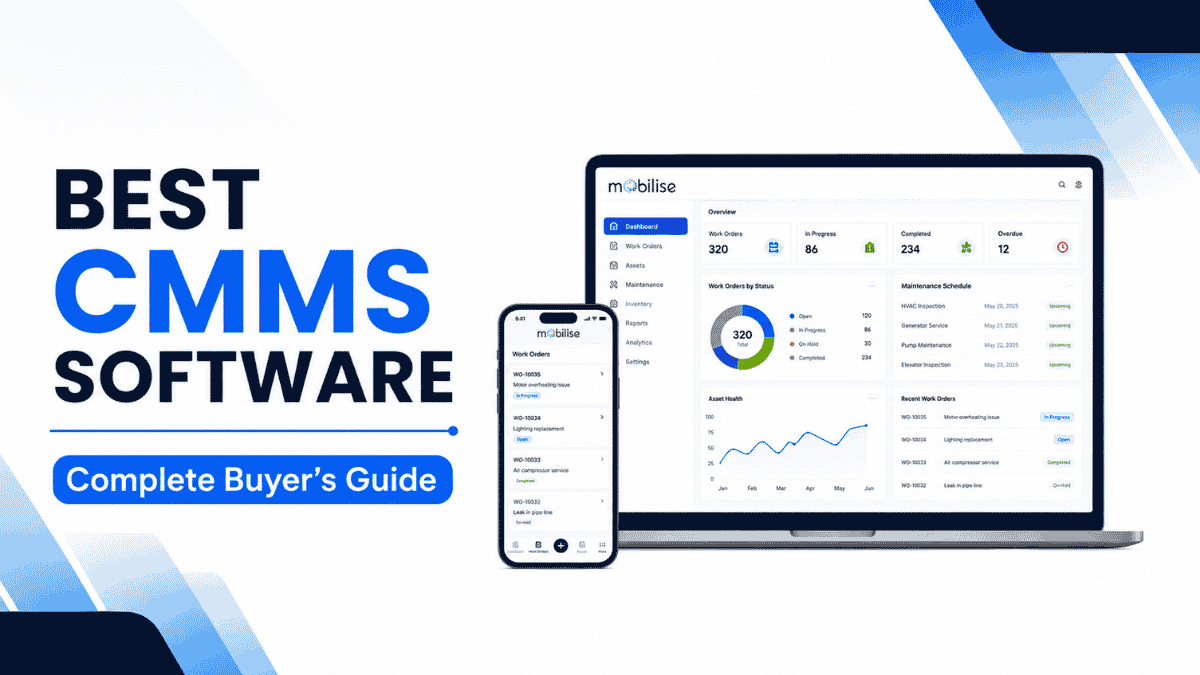
OpsSuite by Mobilise is a digital platform for where maintenance, asset and facility workflows all come together. It can be used within CMMS or EAM or integrated facility management workflows, depending on the organisation’s needs.
Technicians can be issued work orders electronically, update maintenance tasks in the field, utilize asset identification (QR codes), fill out checklists and enter service information. Then, managers have the ability to track maintenance activity from a single dashboard and report.
A centralized system can be beneficial for organizations that have multiple locations, as it can help ensure consistency in processes and visibility across all sites.
OpsSuite can also enable maintenance workflows to be linked to other operational areas of the business including inventory, spare parts management, vendor management, workforce tracking and facility operations. This helps to minimize the time between discovery of a maintenance need and handling of the resources necessary for the maintenance.
Offline capabilities, region-language, IVR, IoT connectivity, hardware integration, where verified and available, can be very beneficial for Indian organizations with their operations in distributed or low connectivity environments.
The platform is built to enable organizations to go beyond work-order tracking and integrate assets, maintenance teams, facility operations, workflows and more into a single system.
When businesses are considering CMMS software, you don’t just have to look at the number of features a platform has. It’s whether the system fits the organization’s maintenance processes, personnel, asset complexity, locations, integrations, and future growth plans.
Conclusion
Organisations don’t necessarily have to choose the best CMMS software based on the list of features. It depends on the extent to which the platform integrates seamlessly with your team’s real work, how easily technicians can use it on the job, and how easily your current data can be transferred to the platform.
Keep it simple: provide the essential tools, perform a preventive maintenance program with proven completion, and provide a mobile tool that technicians will use on the floor. Start measuring MTTR, PM compliance and maintenance cost per asset from month 1. As your data foundation grows, so do IoT-driven predictive maintenance and cross-system integrations.
For Indian companies, the key features that matter the most (multilingual field support, offline functionality, IVR for remote workers, local implementation expertise, and module-based pricing) are all in favor of using a platform built to run in the Indian operating environment, not adapted from an enterprise product developed in the West.
If you’re evaluating CMMS software for your organization, explore how Mobilise OpsSuite can support your maintenance and facility management requirements. Book a demonstration with Mobilise.


