
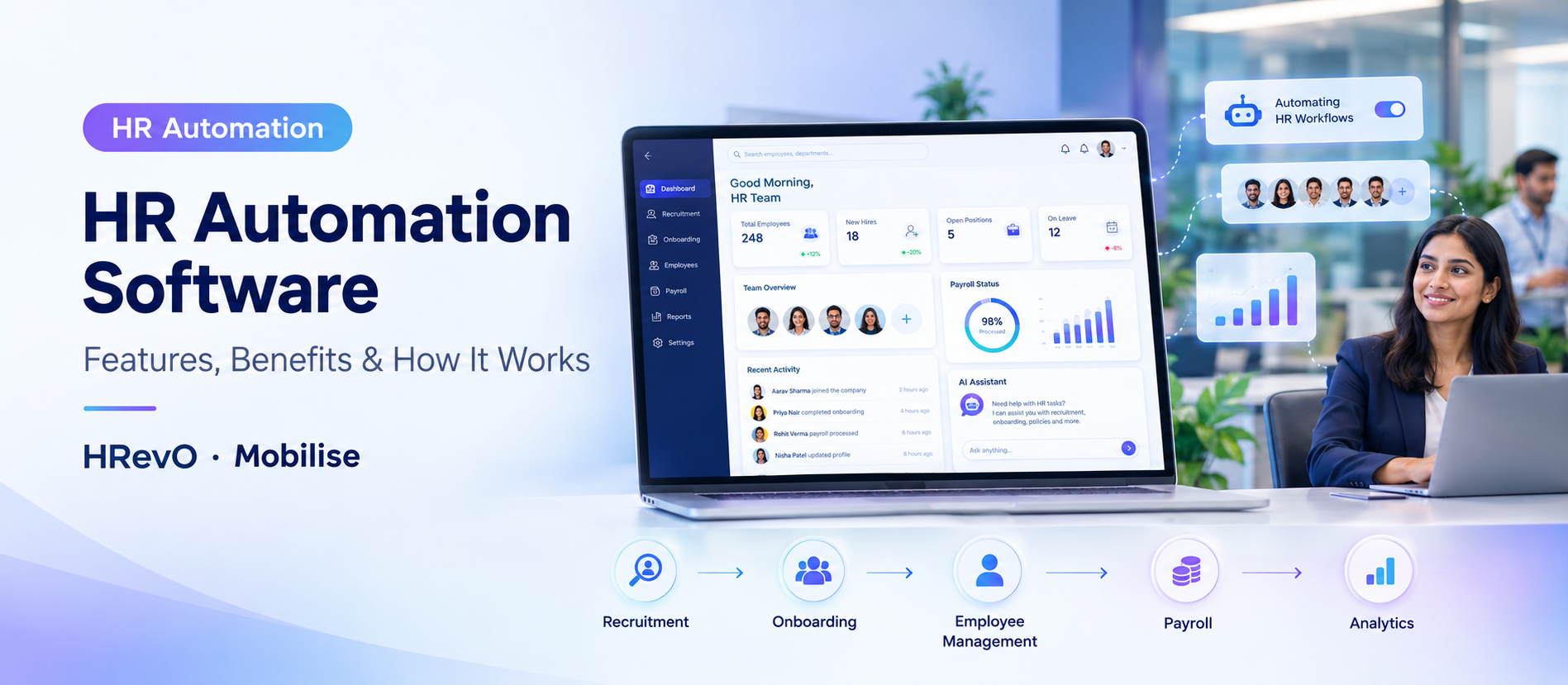
Managing a workforce manually – through spreadsheets, paper registers, disconnected approval chains and siloed systems – is not just an inconvenience, it’s an operational liability. HR teams are wasting hours on endless data entry, attendance reconciliation, leave approvals, payroll processing and compliance tracking. Errors accumulate. Visibility drops. Employee experience is not good.
HR automation software solves this problem by centralizing and automating the entire set of repetitive HR workflows – from the moment an employee is hired until they leave. This guide covers the basics of how HR automation software works, the processes it covers, the features that matter, how biometric integration fits in, and how to evaluate the right system for your organization.
What Is HR Automation Software?
HR automation software is a digital platform that automates manual, paper-based or spreadsheet-driven HR tasks with automated workflows, centralised data and real-time visibility across the employee lifecycle.
It covers the entire spectrum of HR operations such as recruitment, onboarding, attendance, leave, payroll, performance, learning, compliance, and people analytics in a single integrated system. The software automates data capture, workflow triggers and insights, removing the need for HR teams to manually process approvals, update records or generate reports.
HR automation software, HRIS, and HRMS (Human Resource Management System) are often used interchangeably. The difference is: HRMS is the larger platform. HR automation software is the automation features built into or attached to the platform.
How Does HR Automation Software Work?
The basic idea is simple:
- Centralise employee data – All employee records, documents and history are in one system.
- Define HR workflows — Once set up, approval chains, task sequences and process steps are in place.
- Automate routine tasks – The system automates routine tasks (leave approval, payslip creation, compliance notifications) without human intervention.
- Trigger alerts – Relevant stakeholders are automatically notified at the right step.
- Collect activity data Attendance, task completion and employee activities are recorded in real time.
- Update Records Any change made in one module e.g. approved leave, is updated immediately in the related modules e.g. attendance, payroll.
- Reporting and analytics — Reports and dashboards are on demand, not built by hand.
The end result is an HR function that is process driven and not memory or manual follow-up driven.
What HR Processes Can Be Automated?
Recruitment and Talent Acquisition Automation
You can use automated workflows for candidate pipelines, job postings, tracking applications, scheduling interviews and managing offers. Recruitment automation accelerates time-to-hire and helps keep candidate data organised from initial application through to joining.
Employee Onboarding Automation
There are dozens of steps in getting a new employee on board: submitting documents, getting system access, induction tasks, policy acknowledgement, creating records. Automation ensures each step is triggered in sequence, assigned to the right team, and completed on time without HR having to chase every department manually.
Attendance and Leave Automation
Attendance is automatically updated – be it through biometric devices, mobile apps or web portals. Submitting a leave request starts automated approval workflows, according to rules you set up in advance. HR teams receive real-time visibility of who is present, on leave or absent without any manual reconciliation.
Biometric Attendance Automation
Biometric HR software integrates physical attendance capture devices with HRMS. When an employee clocks in through a biometric device, the data is directly imported to the attendance management module – no manual export, no separate reconciliation file. That is what the automation of HR biometric software is all about; closing the gap between the physical device and the HR record.
Payroll and Expense Management
Attendance data, approved leaves and salary configurations are directly fed to payroll processing. Automated payroll removes the need for manual calculation of salaries, decreases the chances of errors and guarantees regular and on-time processing. Expense claims can go through defined approval workflows before they are settled.
Performance Management
The system allows you to schedule and track goal setting, KRA assignments and mid-year reviews and appraisal cycles. Managers get automated reminders, employees submit self-assessments on time, and HR aggregates results without building spreadsheets.
Learning and Development
Within the HRMS, you can track training schedules, course assignments, progress, and L&D progress. HR can use one dashboard to spot skill gaps, set up learning paths and monitor completion rates.
Employee Records Management
Personal information, employment history, documents, certifications and compliance records are centrally stored and automatically updated when an employee’s status changes – promotion, department transfer or exit.
Compliance and Policy Management
You can automate policy acknowledgements, compliance checklists and regulatory document management. The system keeps track of who has read and acknowledged policies and keeps an audit-ready record.
People Analytics and Reporting
Workforce trends, attendance patterns, attrition indicators, recruitment metrics, and performance data are all compiled into dashboards and reports that HR and leadership can access on demand — no manual compilation required.
Key Features of HR Automation Software
| Feature Category | What It Does |
| Automated HR Workflows | Rule-based triggers, approvals, and task sequences |
| Employee Database | Centralized, searchable employee records |
| Recruitment & Onboarding | End-to-end hiring and joining workflows |
| Attendance & Leave Management | Real-time tracking, automated approvals |
| Biometric Integration | Device-to-HRMS data sync |
| Payroll & Expense Processing | Automated salary computation and expense approvals |
| Performance Management | Goal tracking, appraisals, 360° feedback |
| Learning & Development | Course assignments, completion tracking |
| Employee Self-Service | Employee-initiated leaves, requests, and updates |
| HR Analytics & Dashboards | Real-time workforce insights |
| Policy & Compliance Management | Policy distribution, acknowledgement, audit trails |
| HR Integrations | ERP, biometric device, AI, and third-party system connectivity |
| Multilingual Support | Multi-language interface for diverse workforces |
| Security & Access Control | Role-based access, data security |
Benefits of HR Automation Software
HR automation software cuts back on the manual, repetitive work HR teams need to do. Benefits include:
- Less Administrative Burden – Automating repetitive tasks frees HR to spend more time on strategic work
- Fewer errors Data flows across modules on entry; no re-entry, no reconciliation gaps
- Faster approvals – Leave requests, expense claims and onboarding tasks are routed through defined workflows without waiting for individual follow-up
- Better employee experience – Employees can self-serve for routine requests without the need to call HR
- Better compliance management – systematic upkeep of policies, acknowledgements and audit records
- Centralised visibility – HR, managers and leadership view workforce data from one platform
- Scalable Operations – Automated processes scale with headcount without needing to scale the HR team proportionately
- Better decisions – Analytics brings to light workforce trends that would otherwise be lost in spreadsheets
Read Also: Best HRMS Software 2026
How HR Automation Supports the Employee Lifecycle
The biggest advantage of a good HR automation system is that it handles the whole employee lifecycle – from hire to retire – as a single integrated process, rather than a series of stand-alone functions.
Hire → Onboard → Manage → Track → Pay → Evaluate → Develop → Analyze → Exit
| Lifecycle Stage | What HR Automation Handles |
| Hire | Job posting, candidate tracking, offer workflows, hiring approvals |
| Onboard | Document submission, induction tasks, system provisioning, policy acknowledgement |
| Manage Records | Employee data updates, department changes, promotions, transfers |
| Track Attendance & Leave | Daily attendance, biometric sync, leave balances, approval workflows |
| Pay | Payroll processing, expense claims, salary revisions |
| Evaluate | KRA setting, performance reviews, 360° feedback, appraisal cycles |
| Develop | L&D assignments, training completion, skill tracking |
| Analyze | Workforce dashboards, attrition analysis, attendance trends, people analytics |
| Exit | Separation workflows, clearance processes, exit documentation |
This connected model is what distinguishes a comprehensive HRMS from point solutions that handle only one or two HR functions.
HR Automation Software for Biometric Attendance
Biometric attendance is one of the most practically impactful forms of HR automation for Indian enterprises, especially for organisations with large, distributed or factory-floor workforces.
How biometric HR automation works:
A biometric device (fingerprint, card or similar) captures the employee’s attendance event. The device syncs with the HRMS and the attendance record is automatically updated – no manual export, no separate upload, no end of day reconciliation.
Benefits:
- No more attendance proxies
- Eliminates manual data entry from HR workflows
- Real time attendance visibility for managers
- Provides accurate attendance data directly to payroll calculations
- Creates an immutable, auditable record of attendance
Biometric attendance automation is especially critical for multi-shift manufacturing, healthcare, and facility management organisations where managing shifts for hundreds of employees on rotating schedules through manual registers or standalone sheets is not feasible.
AI and HR Automation Software
AI moves rule-based HR automation forward:
- Rule-based automation is about defined, predictable tasks – leave approval when balance is sufficient, payslip generation on a fixed date, onboarding tasks in a set sequence.
- AI-enhanced automation takes care of pattern recognition, predictive insights and natural-language interaction – identifying workforce trends before they become issues, revealing risks of attrition or answering employee questions without having to tap the HR team.
For organisations that operate in multiple geographies and languages, AI integration into HR platforms enables them to serve a multilingual, distributed workforce at scale – something that manual processes can’t consistently deliver.
HR Automation for Multi-Location Workforces
For organisations with employees in multiple cities, states or countries, it’s an HR complexity that compounds – different leave policies, different compliance requirements, different attendance devices, different visibility.
Here’s what HR automation software does:
- All employee records in one centralised system, no matter location
- Use location-specific or department-specific HR rules on the same platform
- Delivering unified workforce dashboards across all sites
- Standardise compliance and onboarding workflows across the organization
- Provide leadership with a single view of workforce health across all locations
Such centralisation is the operational bedrock that makes the workforce manageable for companies with hundreds or thousands of employees at multiple locations.
HR Automation vs Manual HR Processes
| Area | Manual Process | HR Automation Software |
| Employee Records | Spreadsheets, paper files | Centralized, searchable, auto-updated |
| Attendance | Manual registers, separate exports | Real-time sync via biometric or app |
| Leave Approvals | Email chains, manual tracking | Automated workflow, rule-based approval |
| HR Workflows | Individual follow-up | Triggered, sequenced, tracked |
| Payroll | Manual calculations, error-prone | Automated computation from attendance data |
| Reporting | Built manually per request | On-demand dashboards, real-time data |
| Employee Lifecycle | Fragmented across systems | Connected hire-to-retire platform |
| Compliance | Ad hoc tracking | Systematic records, policy acknowledgement |
| Workforce Visibility | Delayed, incomplete | Real-time, role-based access |
| Scalability | Limited by headcount | Scales with the organization |
How to Choose the Right HR Automation Software
- Figure out what you need to automate – List all the HR processes that are being done manually. Prioritise by volume of effort and error rate.
- Choose the modules you need. Not every organization needs every module. Match your needs to the modules that are available on the platform.
- Check attendance and biometric integration – See if the software can work with your existing biometric devices, or ask what hardware they support.
- Evaluate payroll requirements – Ensure that system supports statutory compliance needs of your country – PF, ESI, TDS for India.
- Look for multi-location features – If you operate out of multiple locations, ensure the platform supports location-specific rules and consolidated reporting.
- Review integration requirements – Check connectivity with your current ERP (e.g. SAP), finance systems and third party tools.
- Assess analytics capability – Ask what workforce dashboards and reports are included out-of-the-box and what needs to be customized.
- Think about multilingual support. If your workforce is across languages or geographies, interface language support is worth consideration.
- Assess implementation support – Enterprise deployments need configuration, data migration and training. Assess the vendor’s implementation methodology.
- Plan for scalability – Choose a platform that can grow with your headcount and not require you to rearchitect the system.
Questions to Ask Before Buying HR Automation Software
- Does it manage the complete hire-to-retire lifecycle?
- Does it integrate with biometric attendance devices?
- Can payroll be processed directly from attendance data?
- Does it support multi-location, multi-department rule configuration?
- What does the employee self-service experience look like?
- Does it support the statutory compliance requirements for India?
- What ERP and third-party integrations are available?
- What HR analytics and dashboards are included?
- How is employee data secured and who controls access?
- What does the implementation and onboarding process involve?
- Does it support mobile access for employees and managers?
- How does pricing scale as headcount grows?
How Is HR Automation Software Implemented?
- Audit current HR processes and identify manual tasks
- Define automation requirements per department
- Select the required HRMS modules
- Configure HR workflows, approval chains, and policies
- Prepare and migrate employee data
- Integrate biometric devices and third-party systems
- Train HR administrators, managers, and employees
- Run a pilot with one department or location
- Monitor adoption and resolve configuration issues
- Expand rollout and optimize workflows over time
HR KPIs That Automation Software Can Help Track
- Daily/monthly attendance rates by department or location
- Leave utilization against entitlement
- Attrition rates and exit trends
- Time-to-hire and recruitment funnel metrics
- Onboarding completion rates
- Performance appraisal completion rates
- Training completion and L&D progress
- Payroll accuracy and processing time
- Compliance acknowledgement rates
- Workforce headcount by location, grade, and department
HRevO: Hire-to-Retire HR Automation for Indian Enterprises
HRevO is an all-in-one HRMS platform built by Mobilise App Lab to manage the entire employee lifecycle from hiring to retirement in a single connected system.
Documented abilities:
- Talent Acquisition – Recruitment workflows, candidate management and onboarding processes
- Staff Management – Attendance management, leave management, and compliance management
- Biometric Integration – Smooth integration with Biometric Attendance Devices to automate attendance capture
- Payroll & Expense – Automated payroll processing and expense workflow management
- Performance Management – KRA management, performance appraisals and 360 degree feedback cycles
- Tracking of training assignment & completion – Learning & Development
- People Analytics – Workforce dashboards and trend reporting Policy Center – Compliance repository and policy acknowledgement tracking
- Azure AI Integration – Supported AI-enhanced HR operations
- SAP Integration – Supported connectivity with SAP environments for enterprise deployments
- 20+ Language Support – Multi-language interface for varied and distributed workforces
As of 2024, HRevO has more than 4.19 lakh active employees on its platform and operates in India, Singapore, Malaysia, Philippines, Thailand and Vietnam. It is certified ISO 9001, ISO 27001 and CMMI Level 3.
→ Explore HRevO: HR Automation Software | Request a Demo
Conclusion
The right HR automation software for your organization depends on your size of organization, head count, makeup of workforce, number of locations, attendance and biometric needs, payroll complexity, compliance needs, and growth path. A system that works with only one or two HR functions creates the same fragmentation problem you are trying to solve.
The best result is when a platform brings all HR processes together from hire to retire into one seamless automated system. That’s when HR teams move from administrative overhead to strategic contributors.
If your organization is considering HR automation software for a distributed enterprise workforce in India or APAC, see what HRevO can do – or book a chat with the Mobilise team.


